Reviews
Part of Dental social media: workflows and safeguards
Dental social media best practices for publishing
Dental social media best practices for publishing: accessible formats, patient privacy, review roles, and current practice information.
What to take away
Dental social media best practices start with accessible content, private replies, and a stable web home for important facts.
- Accessibility starts in the brief, not after export.
- Protect patient privacy under HIPAAdo not confirm a patient relationship in a public reply, and obtain written authorization before posting identifiable patient photos. See the patient privacy guidance as part of the practice's approval process.
- Before publishing promotional claims or patient testimonials, check the advertising rules of the applicable state dental board and the American Dental Association's Principles of Ethics and Code of Professional Conduct.
- Keep a stable web alternative for important information.
Dental social media best practices connect editorial quality with clinical, privacy, accessibility, security, and operating controls. Social posts can introduce a practice to prospective patients, while important service, location, and contact information should stay current on the practice website and Google Business Profile. Link posts to a maintained destination so people can find details without decoding a graphic or watching a video.
Make each format perceivable
Section508.gov's guide to accessible social media explains platform practices including concise alternative text for meaningful images, captions for video, audio description where visual information is not otherwise conveyed, and accessible language and formatting. Federal requirements differ from private-practice duties, but the production techniques are useful. For most U.S. dental offices open to the public, Title III of the Americans with Disabilities Act (ADA) is the federal public-accommodations law to consider. The ADA does not translate into a single social-post checklist; use the Web Content Accessibility Guidelines (WCAG) as a practical production benchmark, and seek legal advice about a practice's specific obligations.
| Element | Review |
|---|---|
| Image | Purposeful alt text and readable embedded text |
| Video | Accurate captions, visual meaning, and transcript |
| Audio | Transcript and speaker identification |
| Link | Descriptive wording and working destination |
| Color | Adequate contrast without color-only meaning |
| Motion | Limited movement and an alternative |
| Hashtag | Readable capitalization and restrained quantity |
Platform accessibility features
Each network has its own settings and limits. For Instagram, Facebook, TikTok, and YouTube, check the current publishing interface for available image-description features and any applicable text limits; these settings can change. Do not assume caption limits also apply to alt text, and keep essential image information in the post text as well.
| Platform | Limit or setting |
|---|---|
| Alt text field on photos and carousels; captions typically up to 2,200 characters. | |
| Edit alt text after upload; posts typically up to 63,206 characters. | |
| TikTok | Auto-captions can be edited before publishing; captions typically up to 2,200 characters. |
| YouTube | Upload a transcript and edit captions; titles up to 100 characters, descriptions up to 5,000 characters. |
Choose a posting cadence the team can sustain. Two to three posts per week is a typical starting point. Schedule posts in advance and review the queue weekly.
Write complete captions and transcripts
W3C's explanation of prerecorded video captions states that captions include dialogue, speaker identification, and meaningful non-speech audio so people who are deaf or hard of hearing can understand the presentation. WCAG also includes a success criterion for captions on prerecorded video. Review automatic output against the final audio rather than publishing it unseen.
- Lead with the useful fact
- Define clinical terms without diagnosing the reader
- Show conditions beside the claim
- Use owned or properly licensed media
- Give creators approved claims and disclosure wording
- Preview on a small screen with sound off
- Use emojis sparingly, place them at the end of a sentence, and do not use them as substitutes for words or as repeated decorative strings; screen readers may announce their names
- Test with a screen reader, such as VoiceOver on iOS or TalkBack on Android: move through the post, image description, and links, and confirm the reading order and labels make sense
- Assign replies and emergency escalation
- Verify the live post and destination
For a photo of a dental chair, alt text could be: 'Dental treatment room with an empty chair and instrument tray.' A corrected caption for a video about flossing might read: 'Watch a 30-second demonstration of proper flossing technique. Captions are available.'
Use real structure. A carousel should have a clear sequence, not ten unrelated slogans. A video should put the key idea early and avoid critical information available only in background text. A caption should explain what the media cannot. Repetition across formats is justified only when each version serves a distinct access or learning need.
Maintain content after release. Correct bad captions, broken links, changed hours, expired events, former staff, unavailable services, and superseded claims. Archive the approved source and the published version so the practice can explain what changed. Remove stale pinned posts and highlights promptly.
Assign the practice
HIPAA, the Health Insurance Portability and Accountability Act, and its Privacy Rule govern how covered dental practices handle protected health information. Do not disclose protected health information on social media unless an applicable HIPAA permission or valid authorization allows it. The NIST Privacy Framework starting guide outlines a voluntary process for identifying and managing privacy risk. Use it to assign data and response owners for dental social media; it is not legal clearance.
For a practice account, record who accessed the publishing account and when a post was approved, changed, or removed. CISA business-system logging guidance explains how event records support security review.
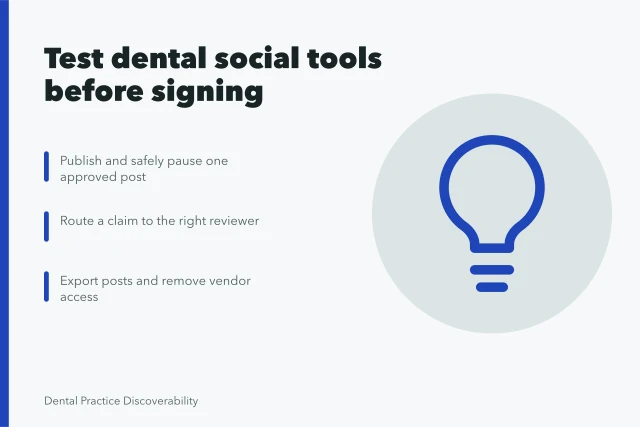
Use a simple post workflow: assign an owner, approve the clinical wording and destination link, check the published post and destination, and record corrections. For example, check a post about a dental service against the practice's approved service information and its current website or Google Business Profile. Review the workflow during routine reporting and after a controlled failure, keeping the metric definition and decision record.
Before adopting a workflow, ask who owns alt text, captions, approvals, and corrections; which platforms and current features are covered; what setup and ongoing costs are included; and what rollout timeline is realistic. Request a written scope and estimate rather than relying on generic figures, since costs and timing depend on staffing, content volume, and chosen tools.
Record rejected options and the chosen path, since the original constraint may later change.
Common questions
Is automatic captioning enough?
No. Review names, dental terms, punctuation, speaker changes, and meaningful sounds against the final recording.
Should text be placed inside every image?
No. Use concise visual text when it helps, then provide the information in the post text and an accessible destination.
Do accessibility checks reduce creativity?
No. They clarify the communication job and often produce cleaner media that works in more contexts.